Poker course review
GTO LAB Pro review: is the coaching library worth $149 a month?
GTO LAB Pro review: who the $149-a-month tournament coaching library suits, and why many of its lessons need a second solver.
Strong tournament coaching for regulars who already use a solver, delivered as a stream of sessions with no learning path.
Price and access: $149 a month · $124.16 a month billed annually · includes GTO LAB's Tools plan and the private Discord · auto-renews, refund within 14 days only if unused · streaming only · checked 26 October 2026
The verdict: GTO LAB Pro
Strong tournament coaching for regulars who already use a solver, delivered as a stream of sessions with no learning path.
The good
strong coaches who explain their reasoning and admit their own mistakes
The bad
no learning path, and many lessons are taught on solvers you have to buy separately
GTO LAB Pro is worth $149 a month to one kind of tournament player: a regular who already studies with a solver and wants to hear strong players argue about real decisions every week. It adds GTO LAB's coaching library and private Discord to the trainer and ICM tools. Anyone hoping for a course that starts at the beginning and builds step by step will not find one here.
The best sessions are excellent. Daniel Dvoress, Dylan Linde, Nick Petrangelo and several of the other coaches rarely hand over a chart and move on. They explain why the solver plays a spot the way it does, then say how they would move away from it against a particular opponent. Some of them stop to admit their own mistakes on screen, which is more useful than it sounds.
The catch is structure. The library is a running feed of sessions with no learning path, and most videos assume you can already read a solver grid. Quality per minute swings a lot from one video to the next, and a large share of the lessons are taught on other solvers such as PioSolver and GTO Wizard. Since Pro costs $60 a month more than GTO LAB's Tools plan, the real question is whether the videos and the Discord are worth that difference to you.
What the Pro plan adds to GTO LAB's tools
GTO LAB sells four plans. Starter is free and covers the preflop library and trainer. Basic, at $25 a month, adds the postflop library and trainer. Tools, at $89 a month, adds the ICM trainer, the ML ICM engine, chip EV solutions for unequal stacks and study features such as Flop Reports, Range Explorer and Runout Hotness. Pro is everything in Tools plus the coaching videos and private Discord channels with the coaches.
That makes the price easy to break down. If you would pay for Tools anyway, the coaching library and the Discord cost an extra $60 a month, or $50 a month on annual billing. If you would never open the trainer, you are paying $149 for videos.
GTO LAB's own page describes the library as "200+ hours of coaching videos from the world's best live & online players, growing weekly". It lists eighteen coaches, with Petrangelo, Dvoress and Jonathan Jaffe as co-founders, and advertises subtitles in ten languages. The videos stream on the site only, and the terms forbid downloading them. Some videos carry a Practice link, though most are a coach talking over a solver or over hand footage.
The videos are filed under series names that describe the format more than the level:
| Section | Main focus |
|---|---|
| Core Concepts | One theory spot worked through in a solver, such as check-raising from the big blind or defending river bets |
| Study Sessions | A coach studying a spot or showing a study routine, often in a solver or GTO LAB's trainer |
| On the Felt | Reviews of televised final tables and the coaches' own deep runs |
| Online Sessions | Online play and final-table reviews, including Leonard Maue's PKO material |
| Discord Member HH | Hands submitted by members, from a $22 PokerStars field to a $150 final table |
| Tournament Pressure | ICM decisions at final tables and with short stacks |
| Play & Explain | A coach multi-tabling online and explaining decisions as they come |
| Alternative Lines | High-stakes lines that sit outside the usual solver patterns |
| Soft Skills | Decisions a solver does not help with, such as reading bet sizes |
GTO LAB does not advertise a learning path, placement test or beginner track for the library. Its structured teaching sits in the courses it sells separately.
How the coaches teach
The habit that runs through the library is treating the solver as a starting point. Ben Heath's lesson on check-raising from the big blind locks the in-position player into c-betting too often and shows the check-raise frequency jump. Then he warns that the solver is now punishing one forced mistake while playing perfectly on every later street. The lock shows which way to adjust. Copying its new frequencies into your game would be a mistake.
Brian Kim does something similar in a study session on 4-bet pots. After several minutes on which flops the solver jams, he tells the viewer it is not important to nail that strategy because the EV difference is small, and that jamming can give away future exploits. Linde ends a final-table ICM video by telling viewers that memorising outputs matters least, since they change with stacks and payouts, and that a rough shape of the strategy is what to keep.
The coaches are also unusually honest about their errors. Linde reviews his own A-9 offsuit jam at a Triton final table and says plainly that he thought about it the wrong way and reached the wrong conclusion. Kim checks a read from his WSOP Main Event run against the solver and finds the solver disagrees with him. Dvoress plays hands in GTO LAB's trainer and gives himself a C minus for one decision. This shows how a strong player really studies. It also means you have to separate the solver-approved play from the table read yourself, because the coaches often present both in the same breath.
Prerequisites are the other side of this. Linde's final-table video never explains ICM or bubble factor; the terms appear on screen and he moves on. Heath does not explain how to read a PioSolver grid. Jaffe and Petrangelo's c-betting lesson assumes you have already used the Flop Reports feature. If "risk premium" or "range explorer" are new words to you, most sessions will be hard going.
The sessions worth paying for
When the library is good, it gives you rules you can take to the table with the reason attached.
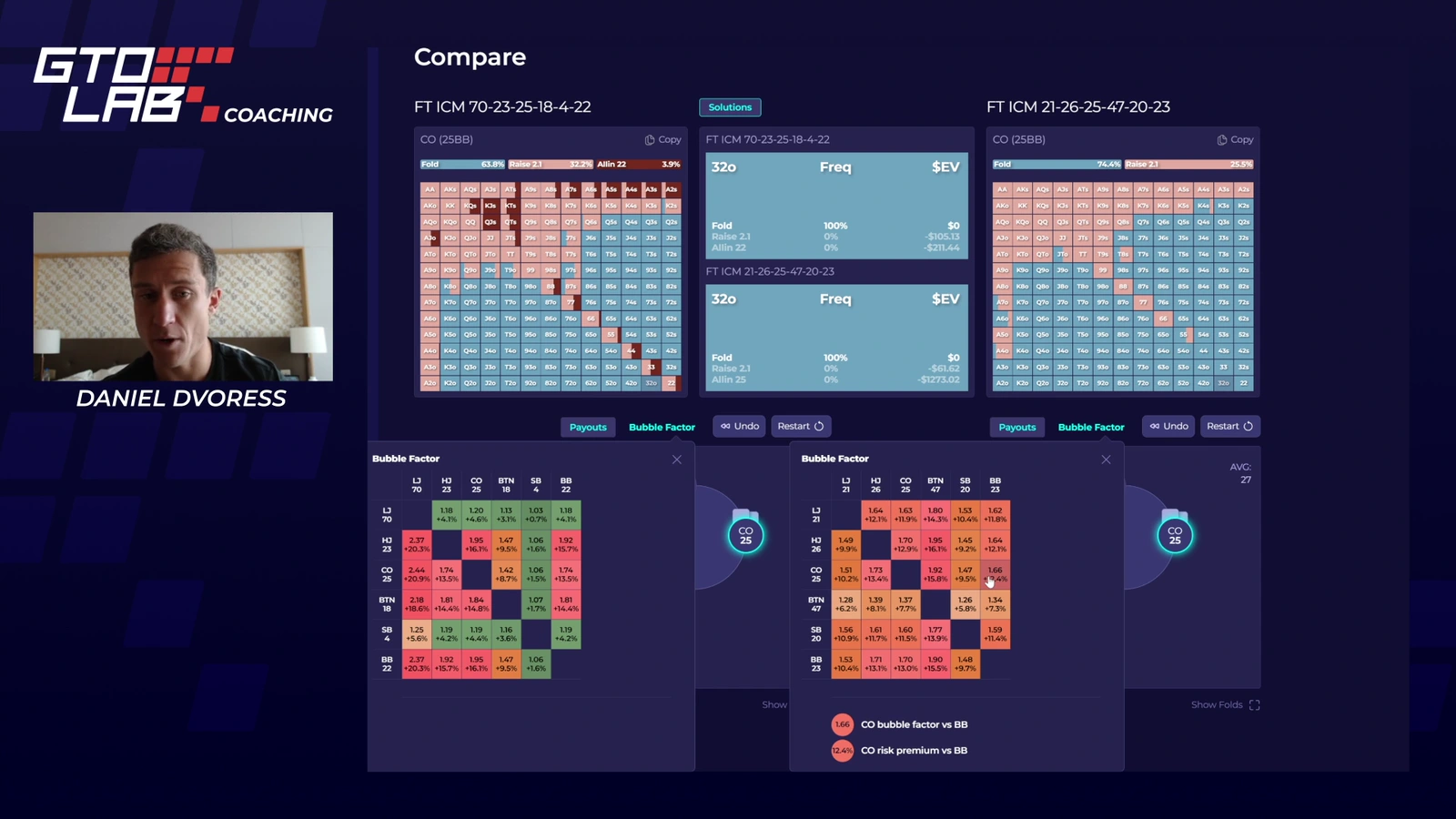
Dvoress's review of a member's $150 GG Masters final table is the clearest example. The member has kings in the small blind facing a button all-in, with the big blind still to act. Two similar ICM solutions look completely different on screen, and Dvoress explains why: in one, calling and re-shoving are worth the same with every hand, and in the other they are not. Then he turns it into a rule a player can use without a solver.
The numbers behind it make the point stick. In his example, picking the wrong one of call or shove up front costs around $12 to $15 in equity. Calling first and then getting the follow-up decision wrong against the big blind's jam can cost about $800.
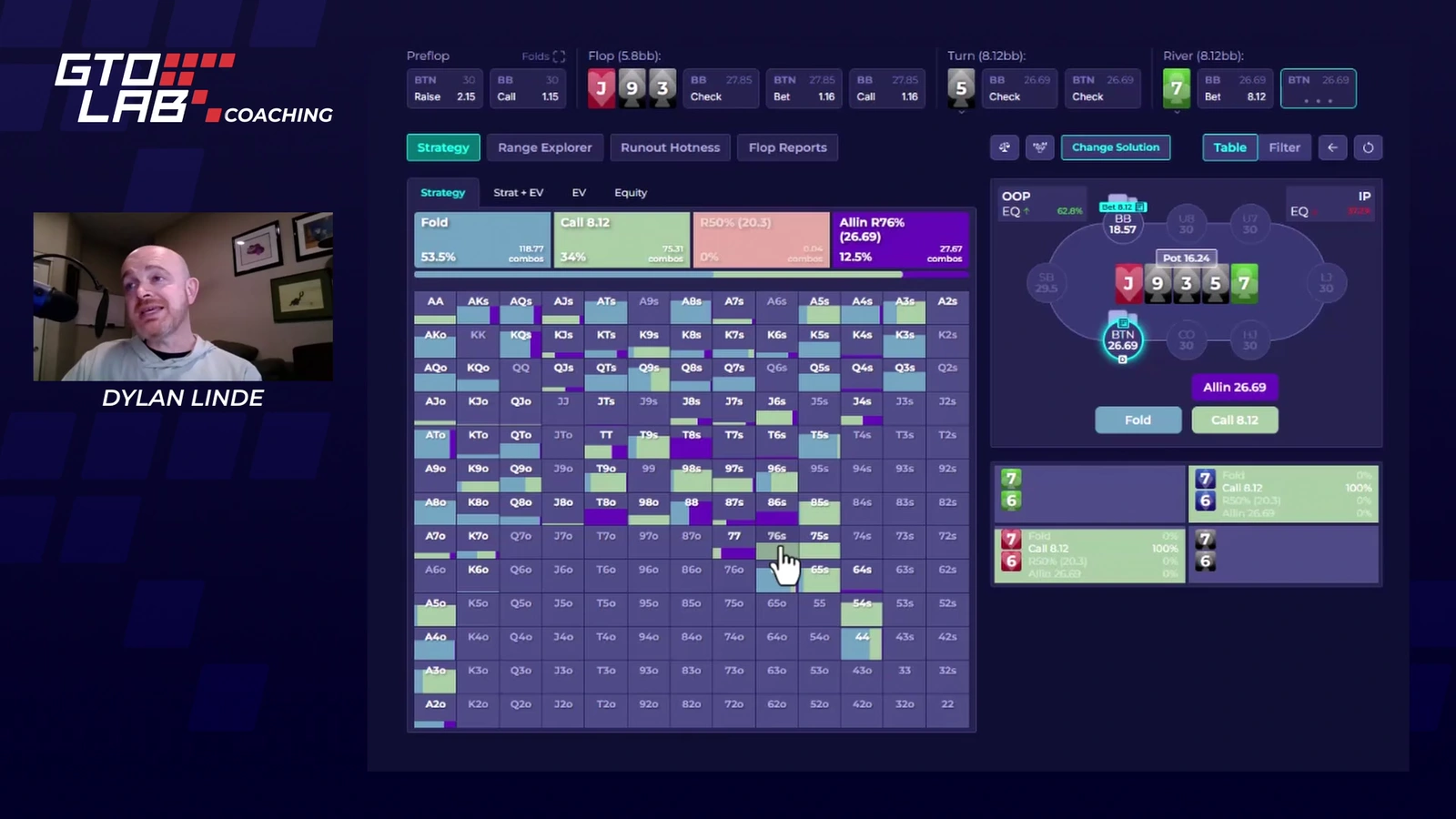
Linde's lesson on defending river bets after a bet-check-bet line has the same quality. Working in GTO LAB's own solver browser, he shows that the worst bluff catcher is not always the weakest hand. On a J-9-3-5-7 board, 7-6 is a better call than Q-9 against most opponents, because Q-9 blocks the hands that would bluff. He then ties it to an exploit: against opponents who rarely raise flops, the river range holds more value, so the lowest bluff catchers should be trimmed.
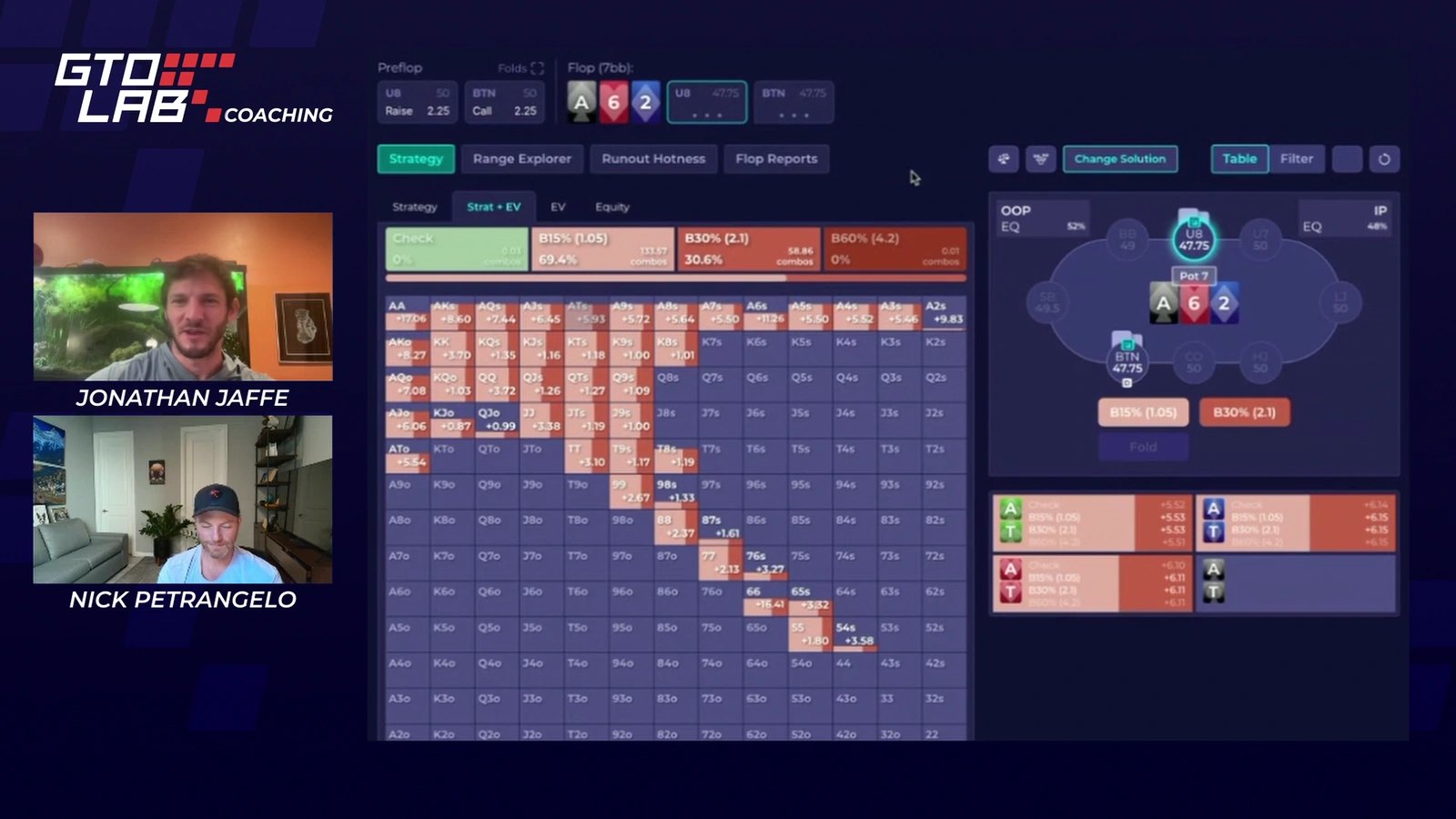
Petrangelo's Core Concepts videos are built like real lessons. Each starts with a quiz, reveals boards one at a time and ends with a threshold you can act on. In the limped-pot lesson, if the limper folds 25% to a small bet instead of the solver's 18%, the check frequency drops from about 65% to 50% or the mid-40s, and beyond 30% you simply bet a lot more. In the 3-bet pot lesson he tells you to float an over-aggressive 3-bettor with your backdoor hands: "You do not combat this aggression by raising. That is a false idea." He also marks the exception, ace-high boards, where folding those backdoor hands becomes right.
Two more threads stand out. Thomas Boivin's single-raised-pot series is dense PioSolver work with a good habit built in: he asks you to pause and guess before he reveals the answer. It also carries a useful correction for players who freeze against big bets, since the bigger the size you face, the more the solver raises or folds instead of calling. Maue's PKO videos cover bounty tournaments from the early levels to the final table, and his repeated point is practical. A player who flats a lot must keep some strong hands in the flatting range, or they become dead money when someone squeezes. GTO LAB's new Mystery Bounty Masterclass is a separate purchase ($799 on preorder), so a PKO player should know that the library already covers some of this ground.
Where the library wastes your time
The weaker sessions are long and loose. A GGMillion$ stream with Dvoress, Heath and Jaffe spends a long time on banter and chat for a handful of final-table hands, and several of those end without a clear answer. Kim's WSOP Main Event commentary drifts near the end, and he admits on camera that he is rambling and repeating himself. A webinar from Dvoress and Isaac Haxton on unusual high-stakes lines finishes with items it never reached. Leon Sturm's sessions can be sharp, but he often thinks aloud until an answer arrives, and at times stops to say he is talking nonsense.
Titles sometimes promise more than the video delivers. The first Soft Skills video with Dvoress and Jaffe opens with an agenda of three topics, covers one, and spends most of its length on a single static slide. Heath's "Finding Hidden Leaks" moves through a member's session quickly and never sums up what the leaks were. Dvoress's "How to Actually Improve at ICM" is a study method plus a handful of hands. That is useful, but it is a long way from the ICM course the title suggests.
Many sessions are also one part of a series. Heath's video on kicker selection is the last of a five-part final-table review, and Jaffe and Petrangelo's river lesson keeps referring back to the previous one.
On a monthly fee this matters more than it would in a one-off course. Your time is the real cost, and neither titles nor lengths warn you which sessions are dense and which are mostly conversation. Linde's river lesson, Dvoress's member final table and the Jaffe and Petrangelo c-betting session are good places to start.
Exploits: strong opinions, little proof
GTO LAB sells the library with the badge "GTO and exploitative play". The GTO half is shown on screen. The exploit half is mostly asserted from experience.
Sturm's video on reading bet sizes calls one of its sizing reads "more of a made-up theory", and he admits that his read on one opponent rests on two spots. In a Play & Explain session Linde argues his way through many decisions and opens the solver once. That check shows his chosen bluff combo was the wrong one, and he sums it up as "a correct concept, but incorrect execution". Heath's claims about what lower-stakes fields do, and Maue's remarks on what most players do in three-way pots, arrive with no data behind them.
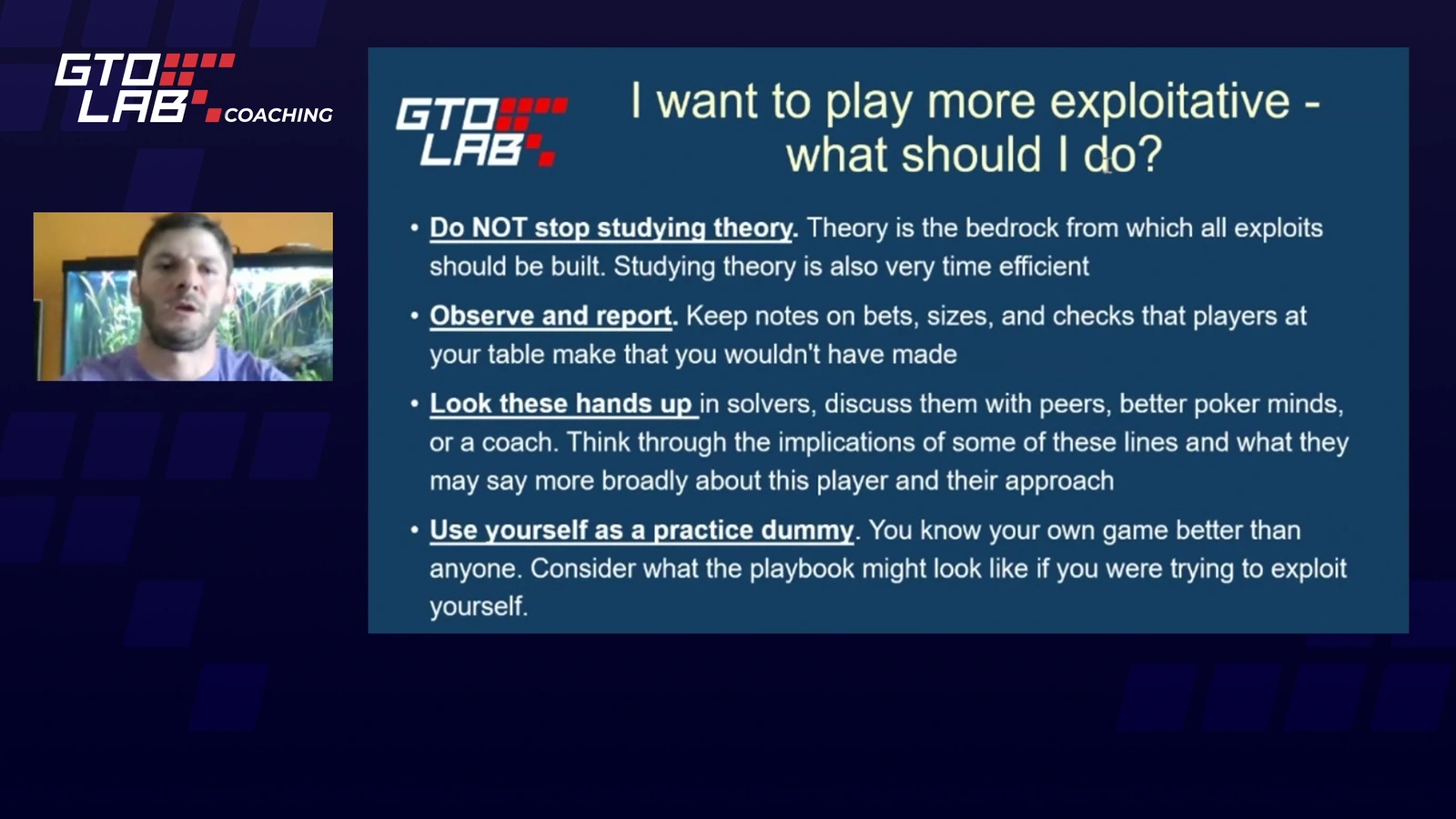
The coaches label these as beliefs, which is fair, and the beliefs come from very strong players. Jaffe's own exploits webinar contains the best warning on the subject. Exploits are not timeless, he says, because the meta moves quickly. His slide on the subject puts theory first.
Treat the exploit advice as how elite tournament players read their opponents, and test it against your own hands before you rely on it.
Mostly high-roller hands, with a low-stakes thread
Most hands in the library come from Triton events, WSOP final tables, big online high rollers and the coaches' own play. The ideas carry over to smaller games. The exact lines and opponent reads usually do not.
The Discord Member HH series is where smaller buy-ins appear. Dvoress's $150 final table is one example. Boivin's review of a member's $22 PokerStars tournament is the kind of video a low-stakes player should look for. He reads the field profile by profile. When the member passes up the chance to get the money in for value against a loose opponent, Boivin reminds the member that "value cutting yourself is part of the game". Later he judges bubble tactics for that particular field.
He then backs the point with GTO LAB's bubble preflop library, showing that in a stone-bubble spot he sets up, even a big chip leader opens only about a third of hands. The review stops before the final table, though, and it covers the hands the member played rather than every fold. A $22 player gets a realistic walk through their own kind of field. That kind of material is simply a smaller part of the feed than the high-roller reviews.
The tool question
Because Pro includes the Tools plan, it is fair to ask how much of the teaching happens in GTO LAB's own software. The answer is less than you might expect.
The newer lessons do use it. Linde's river lesson and Jaffe and Petrangelo's c-betting lesson run in GTO LAB's solver browser, with Range Explorer and Flop Reports in the tab bar. Dvoress studies final-table ICM in the trainer and uses its Compare tool, and Petrangelo opens GTO LAB's final-table ICM module in one of his ICM reviews.
A large share of the library is taught elsewhere. Heath's check-raising lesson, Kim's 4-bet pot study, Boivin's single-raised-pot series and Dvoress's postflop ICM framework run on PioSolver. Jaffe and Petrangelo's river series and Maue's hand-review workflow use GTO Wizard. Maue's PKO lessons use HRC, and Sturm ends one session by recommending HRC or ICMizer for node-locking practice. In Petrangelo's limped-pot lesson he says he hopes it is the last time he uses PioSolver, because GTO LAB's own tool is nearly ready. Part of the library predates GTO LAB's own postflop viewer.
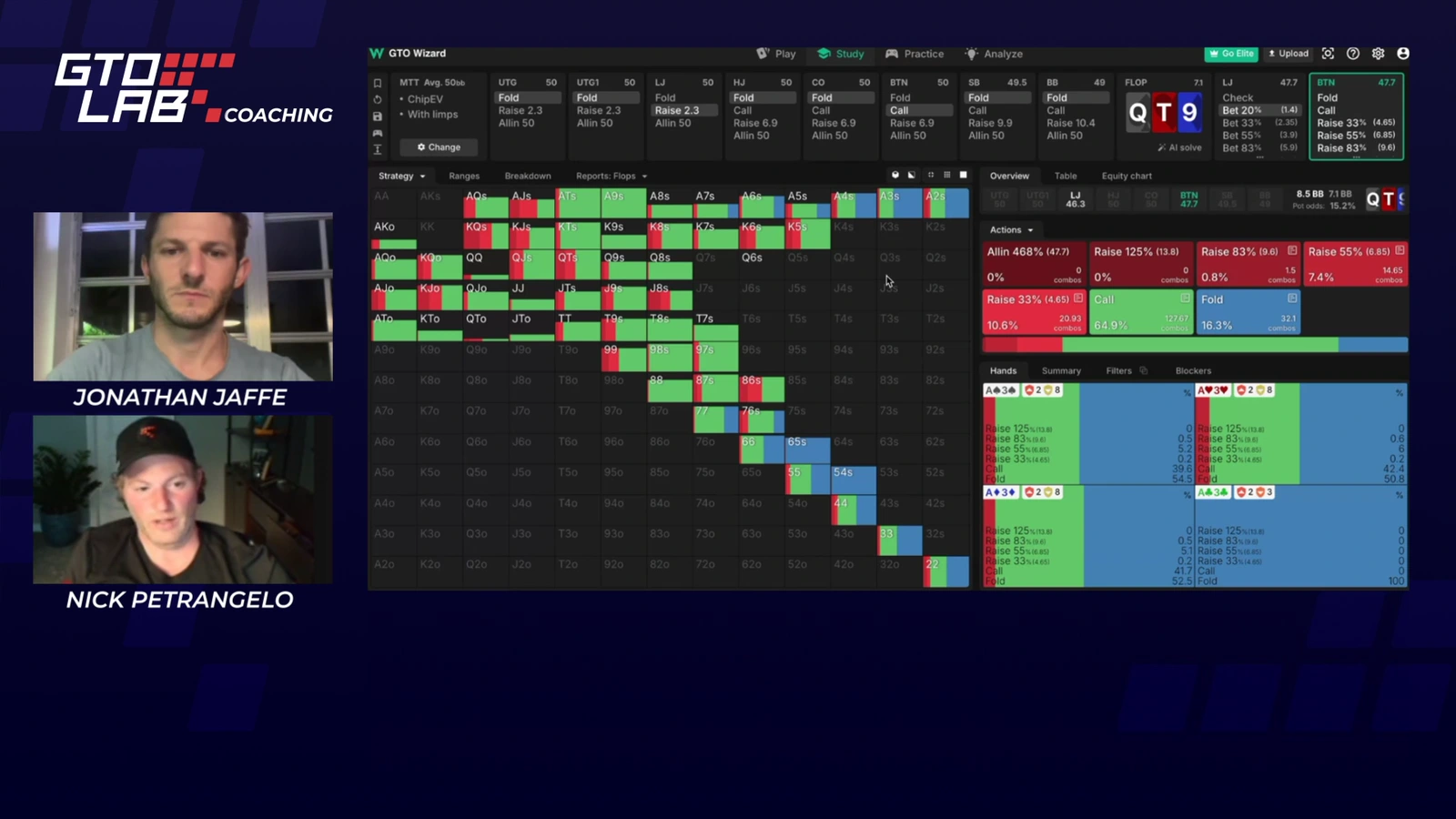
There are two consequences. To repeat many lessons step by step you need another solver, and PioSolver and HRC are paid products. On some recordings the solver text is also too small to read, for example Heath's remote PioSolver screen and Petrangelo's solver views, so you take the frequencies from the narration.
A study routine, if you will use one
One thread in the library deserves credit because it outlasts any single spot: several videos teach how to study. Dvoress plays hands in the trainer, says the important factors out loud and predicts the range before he clicks, then checks the answer. In another session he changes one variable at a time to show how postflop ICM pressure works. Linde separates being accurate from being precise and shows how to ask why a solver chose a size. Maue walks through how he marks hands while playing, then tests a HUD-based read with a node lock. Jaffe's slide on exploits ends with "use yourself as a practice dummy".
A player who owns a solver but has no routine gets one here. A player without the tools gets ideas that are hard to put into practice.
GTO LAB Pro or a structured course?
If structure is what you need, there are better routes.
Upswing Lab 2.0 costs $99 a month, $50 less than Pro, and is built around a path: Launch Pads, a Mastery Path, a placement quiz, a charts app and weekly Strategy Specials, covering cash games as well as tournaments. GTO LAB Pro has no curriculum and is tournament only, and it bundles a trainer and ICM tools instead. The Upswing Lab 2.0 review covers that membership in detail.
GTO LAB itself puts its structure into one-off courses, sold separately, and each includes one month of Pro: Tournament Savagery ($999), the 26 Day Training Plan ($399), Get Ready for WSOP ($399) and the Mystery Bounty Masterclass ($799 on preorder until 2 November 2026, with the course starting on 3 November). Isaac Haxton's Multiway Mastery is also sold separately. Prices checked 26 October 2026.
For a player who wants structure first, buying a course and using its included Pro month to sample the library is a sensible order. The Tournament Savagery review, the 26-Day Training Plan review and the Multiway Mastery review cover those courses.
Price, terms and the Discord
Pro costs $149 a month. Billed annually it shows as $124.16 a month. The page prints only that monthly equivalent, and twelve months at that rate comes to about $1,490 paid in one go. Prices checked 26 October 2026.
Subscriptions renew automatically on the same date. Cancelling stops the next renewal but does not refund the current period. The terms allow a refund within 14 days only if you have not started using the service, so in practice there is no free trial of the videos. The free Starter plan lets you try the preflop trainer, which at least shows you the interface. GTO LAB says it emails price changes 10 days in advance. Payment runs through Stripe with cards, PayPal, Apple Pay and Google Pay, and Luxon or crypto are available by contacting support. The operator is GTOLAB LTD in Malta.
The Discord is advertised as private Pros-only channels with the coaches. The member-hand series shows one thing that can come of it, because hands submitted there become review videos. Jaffe, opening one of his grading sessions, says he may not get to every submission, though he promises at least a short reply, so a video review of your own hands is not guaranteed.
Before paying, choose the series closest to your game. A small-stakes player should start with the Discord Member HH videos, and a player who reaches final tables should start with Tournament Pressure and the ICM study sessions. Work the same spots in the trainer that week.
Is GTO LAB Pro worth $149 a month?
For the right player, yes. A tournament regular who studies with a solver and will use GTO LAB's trainer every week gets a steady supply of strong coaches who show their reasoning, mistakes included. On that basis, $60 a month above the Tools plan is fair value.
It is the wrong purchase for a beginner or for anyone who wants a course with an order, and cash players are not its audience. It is also poor value if you will not touch the tools, because then the whole $149 goes on videos. Expect to filter. Excellent lessons sit next to long streams, and many lessons need another solver to follow step by step.
Give it one month on the series that matches the leak you want to fix. Renew if the sessions are changing how you play, and drop to Tools if they are not.
Official course page: GTO LAB Pro at GTO LAB (opens in a new tab)
Frequently asked questions
How much does GTO LAB Pro cost?
$149 a month, or $124.16 a month billed annually, checked 26 October 2026. That price includes everything in the $89 Tools plan. GTO LAB's current courses, such as Tournament Savagery and the 26 Day Training Plan, each include one month of Pro.
Is there a free trial?
No. The terms allow a refund within 14 days only if you have not started using the service. The free Starter plan includes the preflop library and trainer, but not the coaching videos.
Is GTO LAB Pro good for beginners?
Not really. The videos assume you can read a solver grid and know ICM terms, and the library has no beginner path. A newer player gets more from a structured course first.
Does it cover cash games?
GTO LAB presents it as a tournament library, and the hands come from tournaments. Some chip EV theory at 50 to 100 big blinds carries over to cash games, but cash players are not the audience.
Do you need another solver to follow the videos?
For many of them, yes. The newer lessons run in GTO LAB's own viewer and trainer, while a large share are taught on PioSolver, GTO Wizard or HRC. You can still learn the ideas by watching. Repeating the steps yourself needs the same tool.