Does ACR Poker Allow HUDs? Current Rules for 2026
ACR Poker allows some HUDs, but bans live advice, data mining and remote access tools. See the 2026 rules and a safe PokerTracker setup.
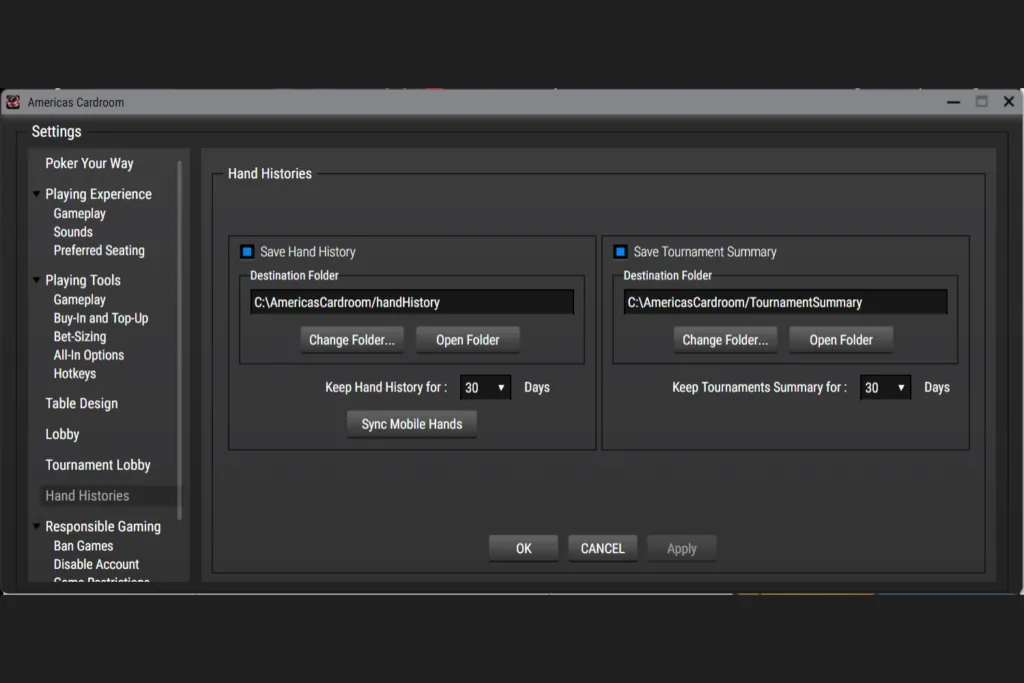
Americas Cardroom hand-history settings. Screenshot: PokerTracker documentation.
In this story11 sections
Quick answer: Yes. ACR Poker allows a HUD when it displays numerical statistics built only from hands you personally played. It cannot use data from hands you merely watched, and it cannot tell you what to do during the hand currently in progress. That distinction separates a permitted tracker from prohibited real time assistance.
The ACR HUD rule in plain English
ACR’s current Security and Game Integrity policy permits hand trackers and HUD tools that collect and display numerical statistics. The information must come from your own hand history, meaning hands in which you actually took part.
A basic display showing VPIP, preflop raise, aggression and similar historical numbers can fit that rule. A tool that calculates the current hand, supplies live pot odds or recommends a move does not.
| Tool or feature | ACR status | The important condition |
|---|---|---|
| Numerical HUD | Allowed | Uses only hands you personally played |
| Hand history tracker | Allowed | No observed or purchased hand data |
| Bankroll and leak tracker | Allowed | Used for analysis, not live decisions |
| Simple unopened pot chart | Allowed | Must remain within ACR’s narrow chart rules |
| Live pot odds or outs calculator | Prohibited | Cannot analyse the hand in progress |
| Solver, GTO or ICM advice during play | Prohibited | Study away from the table |
| Data mined hand histories | Prohibited | You must have participated in the hands |
| Seating script or player targeting | Prohibited | Cannot reserve seats or hunt named players |
| Virtual machine or remote access | Prohibited | Run ACR directly on the computer you are using |
What information can a permitted HUD show?
The policy focuses on where the data came from and whether it influences the current decision. Statistics built from your own database are permitted. That normally includes familiar numbers such as:
- Voluntarily put money in pot, usually shortened to VPIP
- Preflop raise percentage
- Three bet frequency
- Fold to continuation bet
- Aggression frequency
- Hands in your sample
The sample size matters. Seeing that somebody raised two of their first five hands does not tell you much. A HUD makes collection convenient, but it does not turn a tiny sample into reliable information.
What crosses the line?
ACR prohibits software that removes or materially influences the player’s live decision. The policy specifically covers bots, real time advice, current hand calculators, complex ICM or GTO tools used during play, automatic chart retrieval and large navigable strategy databases.
The room also bans collecting hands you did not play, sharing hole cards, conditional hotkeys and seating software that targets particular nicknames. A normal table arranger is allowed, but a script that hunts weaker opponents is not.
Do not assume that a program is acceptable merely because the ACR client opens beside it. ACR says its exclusion system blocks known prohibited programs, but the written policy still applies when software is not automatically detected.
Can you use PokerTracker 4 on ACR?
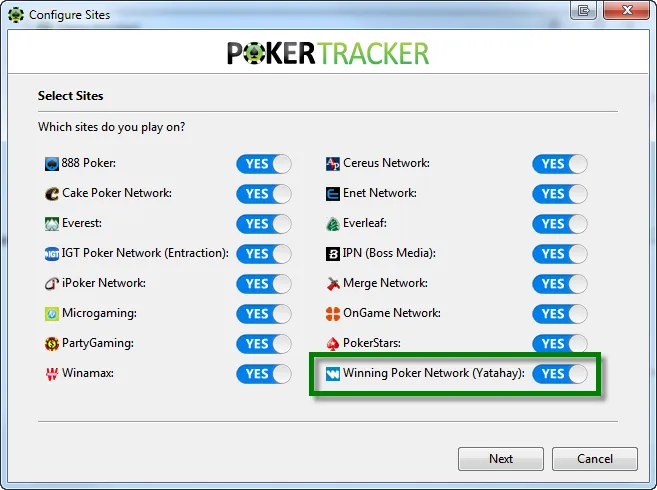
PokerTracker publishes a current setup guide for the Winning Poker Network, which includes ACR. Its guide explains how to import the hand history files created by the poker client and display a HUD at the tables.
This does not mean every PokerTracker feature is automatically approved forever. ACR’s policy controls what may be used on its games. Keep the tracker updated and restrict the display to statistics from hands you personally played.
A simple PokerTracker setup for ACR
- Open the ACR client and confirm that hand histories are being saved.
- Note the destination folder shown in the ACR hand history settings.
- In PokerTracker, open the site configuration and enable Winning Poker Network.
- Use automatic detection or select the ACR hand history folder manually.
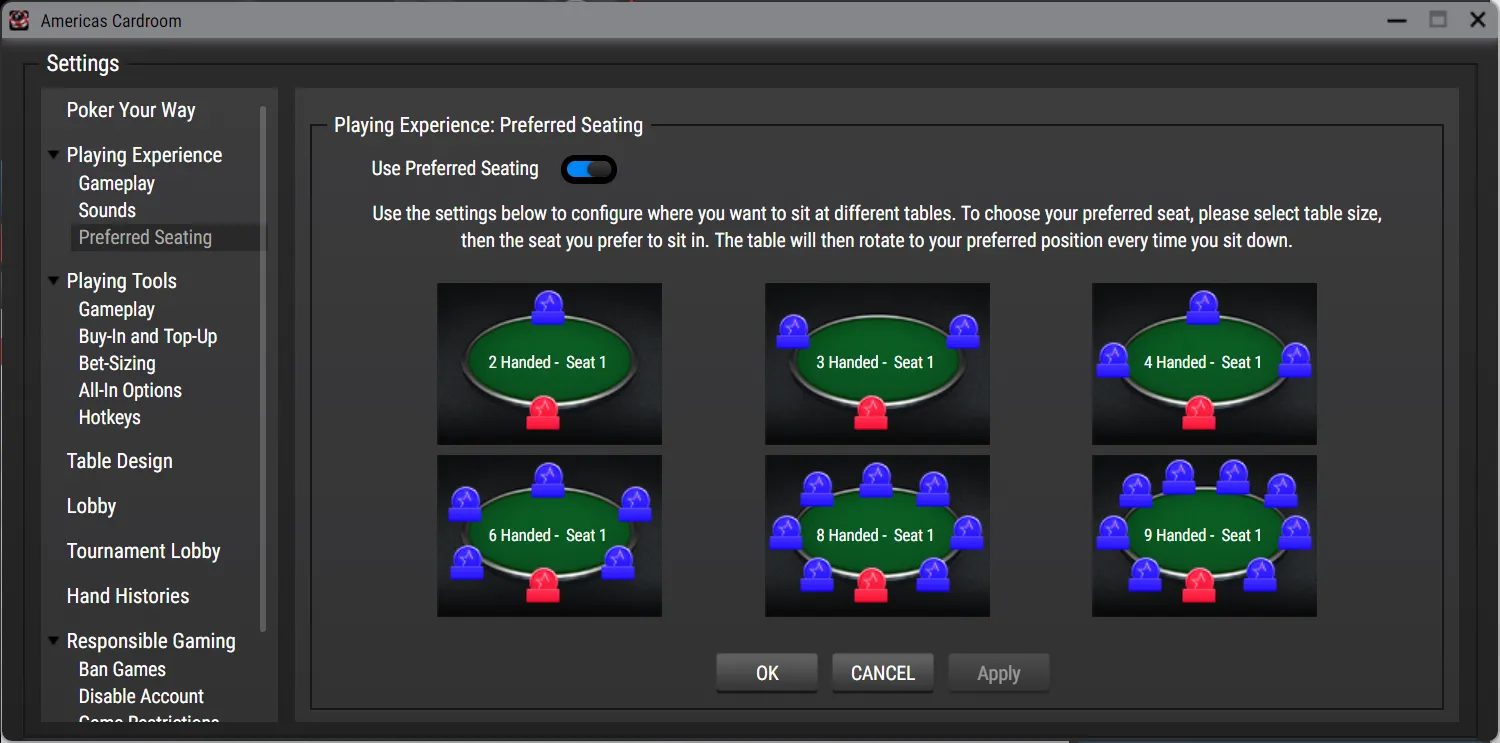
- Set the same preferred seat in both programs so the statistics line up with the correct players.
- Play one hand and confirm that it imports before adding a complicated HUD layout.
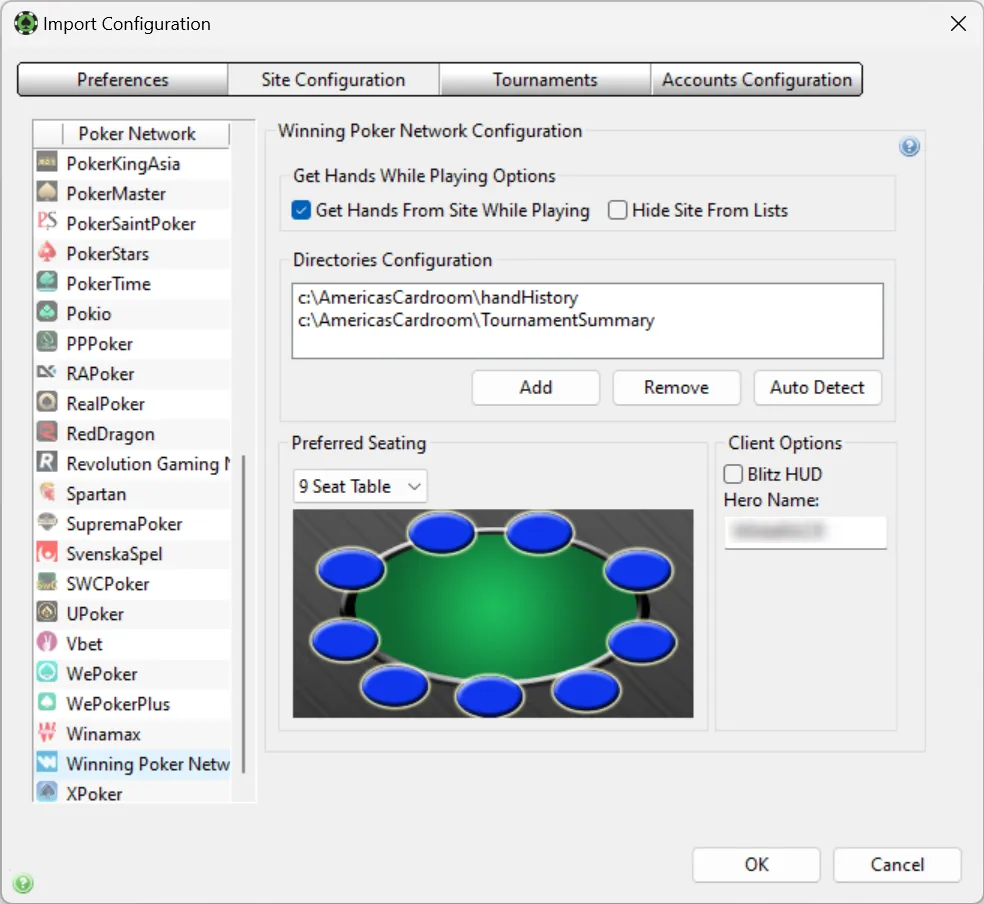
PokerTracker says the WPN client should be installed in English. Blitz tables can also need the separate Blitz HUD setting and your ACR screen name. If the HUD appears in the wrong seat, check the preferred seating configuration before reinstalling anything.
Can you study with GTO software?
Yes, but not while it is advising decisions in a live ACR hand. ACR permits educational software and strategy material when it is used for study. It prohibits GTO, Nash, expected value and ICM tools when they can guide the hand being played.
The cleanest practice is to review marked hands after the session. Close solvers, training databases and remote access programs before opening the poker client. Studying a spot later is normal poker work. Asking software to solve the spot while the action is on you is the problem.
Why virtual machines and remote access are risky
ACR separately prohibits virtual machines and remote access programs such as TeamViewer. The poker client must run directly on the computer being used. This rule is broader than HUD policy, so a perfectly ordinary HUD does not make a virtual machine acceptable.
ACR also reserves the right to inspect which programs are running alongside its software. Attempts to prevent that check can lead to a penalty.
What can happen if ACR objects to a tool?
The published penalty list ranges from a warning or temporary suspension to a permanent ban and confiscation of funds. The outcome depends on what ACR believes happened, and its policy says its game integrity decisions are final.
If you are unsure about a feature, do not rely on a forum comment from several years ago. Ask ACR support in writing and save the answer. Policies change faster than many setup guides.
Do you actually need a HUD on ACR?
A HUD is useful for a regular cash player who reviews large samples and plays several tables. It is much less important for somebody entering an occasional tournament or learning the software. Poor decisions with ten statistics on screen remain poor decisions.
ACR is attractive to data focused players precisely because a compliant tracker is still possible. Players who prefer anonymous tables and no persistent statistics may be happier somewhere else. Our full ACR Poker review covers the tournament schedule, rewards, bonus and cashier rules.
ACR HUD questions
Does ACR allow hand histories?
Yes. ACR saves hand histories locally, and its policy permits trackers that use hands you personally played. Purchased, shared or observed hand data is not permitted.
Can a HUD show stats from the current hand?
No. ACR’s policy says the display cannot include information from the hand currently being played.
Does ACR publish a list of banned programs?
No complete list is published. ACR describes prohibited functions instead and says it can make the final decision when a tool threatens game integrity.
Can you run ACR through TeamViewer?
No. ACR specifically prohibits remote access software and virtual machines.
Sources
- ACR Security and Game Integrity policy
- ACR restricted programs explanation
- PokerTracker Winning Poker Network configuration guide
- DriveHUD ACR setup guide
Rules checked September 30, 2026. ACR can update its software policy without notice. Confirm any unusual program or feature with ACR before using it during play.